Download Center
Download the FVA-Workbench, FVA Simulation Hub, and more.
Log in with your license ID
License ID
License ID (Legacy)
The license ID is the unique number of your license.
It can be found in your license file (.lic). Open this file with a text editor, copy the value after the text "LICENSE_ID =" and paste it here into the input field.
Example:

Attention: Please note that you do not click on the save button while the license file is open. Some editors automatically change the format of the file when saving, which could render it useless.
Entitlement ID
You can find the Entitlement ID in the email you received to activate your license.
License ID
You can find the license ID in the FVA Workbench in the login dialog or in the "Licensing" section of the settings.
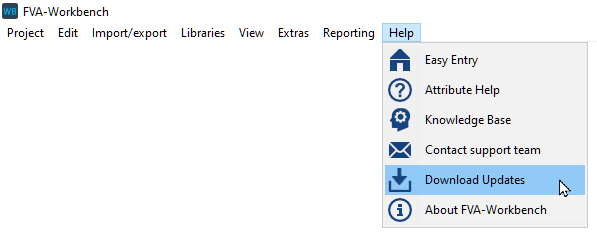
HintHinweis: The menu item "Help > Download Updates" will automatically log you into the Download Center.